Mac screen recorder with auto zoom
Show the part
that matters.
Record a demo, guide the eye with editable zooms, and share the finished video. All on your Mac.
Apple silicon · macOS 15 or later · One-time purchase
In the editor
Every click has a point.
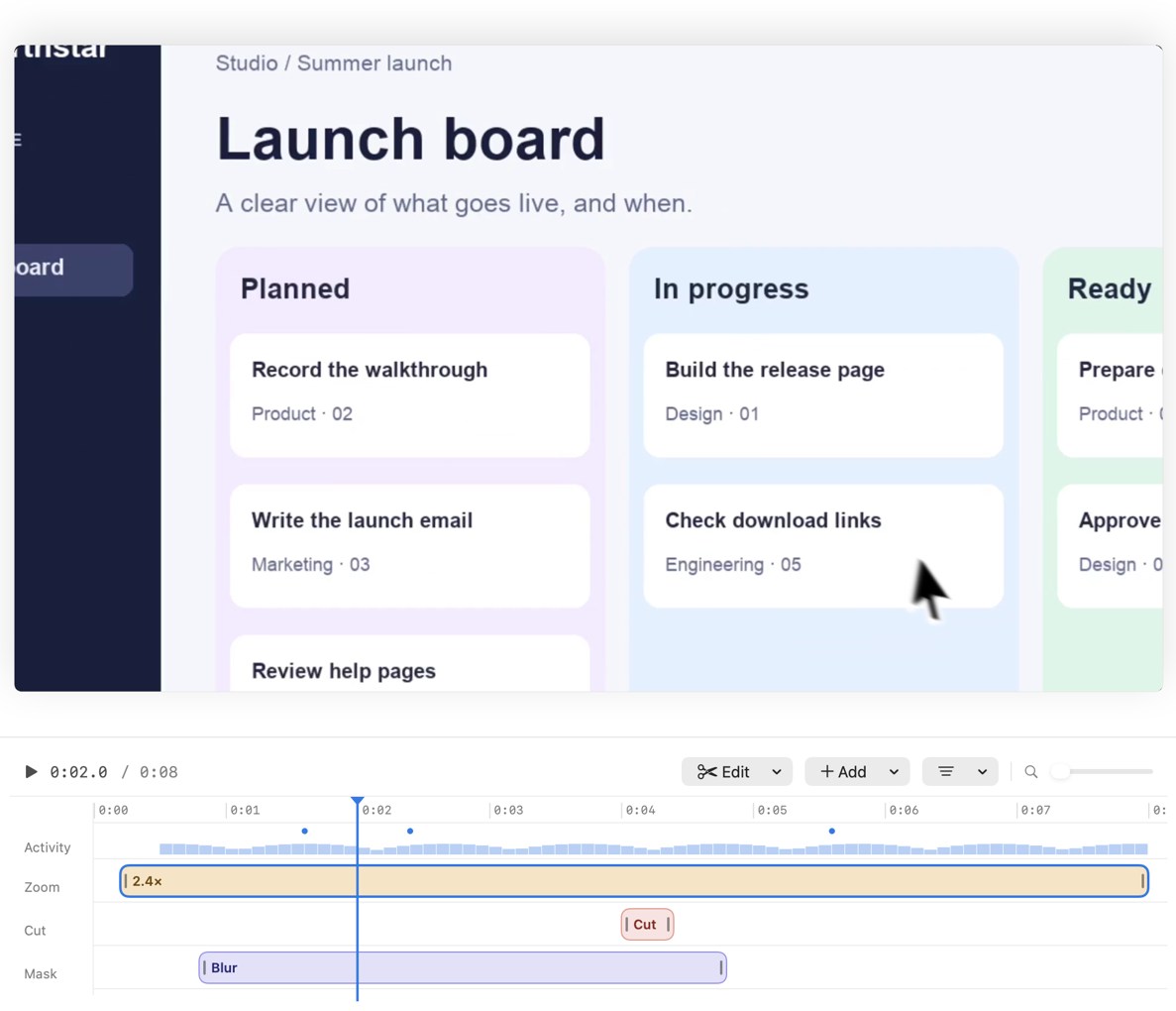
Recorder uses clicks to suggest zooms. Select a zoom on the timeline to adjust where it goes and how quickly it moves. Add title cards, trim pauses, or change the camera layout before you export.
One-time license
Choose how many Macs.
Every license unlocks the same recorder and editor. Dodo Payments emails your key after checkout.
-
1 Mac
$19.99
Single-Mac license
Buy license -
2 Macs
$34.99
Save $4.99 vs. singles
Buy license -
3 Macs
$47.99
Save $11.98 vs. singles
Buy license -
4 Macs
$59.99
Save $19.97 vs. singles
Buy license -
5 Macs
$69.99
Save $29.96 vs. singles
Buy license
Prices in USD. Applicable tax is calculated at checkout.
Already have a key? Download the Mac app.
Good to know.
How do I activate Recorder?
Download the signed disk image, drag MacMuse Recorder to Applications, and open it. Paste the key from your Dodo Payments email. Recorder verifies it before opening the library.
What can I record?
Choose a display, a window, an area, or your camera. Enable your microphone, system audio, or camera as needed. macOS asks for permission before Recorder uses those inputs.
Where do my recordings go?
Your captures and edits are stored on your Mac. Recorder connects to Dodo Payments to activate and check your license.
Can I move my license to a new Mac?
Yes. Deactivate it from the account menu on the old Mac, then paste the same key into Recorder on the new one.
What are the system requirements?
An Apple silicon Mac running macOS 15 or later. Some features, such as Apple Intelligence for draft notes, require a supported macOS version and settings.